Color

|
Main page |
|
Index |
| English FAQ |
| Documentation |
|
Software
|
|
CTAN Search CTAN: Main Server |
|
Statistics |
|
 |
|
 |
| More Books |
Colored bullets | Colored example environment | Colored paragraphs | Colored Tablecells and -rows | Colored Chapter/section-Titles | Colored text | Converting a rgb color to cmyk |
Frameboxing |
rgb colors |
Transparency colors |
| Color in chapter/section titles |
|---|
 |


|
 |
|
|
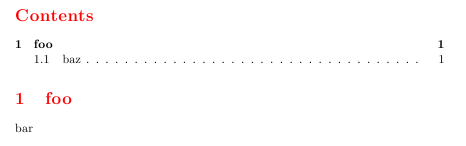
| The colors are only visible in the PS-output, not in DVI. If you have a book-class, than replace the section commands with the ones for book. |
Colored Bullets
Write something like
\textcolor{red}{\(\star\)}
Colored Paragraphs
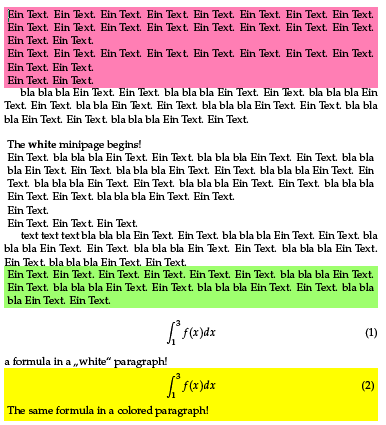 you can also download this code as a stylefile myColor.sty,
than you need only the command \usepackage{myColor} in latex-preamble.
Remember that you have to store this stylefile in a way that latex finds it!
you can also download this code as a stylefile myColor.sty,
than you need only the command \usepackage{myColor} in latex-preamble.
Remember that you have to store this stylefile in a way that latex finds it!
Color with frameboxing
in latex preamble
\usepackage{color}
defining an own color in latex preamble or anywhere else:
\definecolor{myColor}{rgb}{0.9,0.9,0.9}% rgb color model
multiline text in a parbox with a shade of myColor
\colorbox{myColor}{\parbox{\columnwidth}{ bla bla ... the text ... bla bla }}
the same for a framed parbox with
\fcolorbox{framecolor}{shadecolor}{...
Converting a rgb color to cmyk
K = 1 - max(R,G,B);
C = (1 - R - K)/(1-K);
M = (1 - G - K)/(1-K);
Y = (1 - B - K)/(1-K);
If you need for a publication always graysaled images, write into the preamble of your document:
\AtBeginDocument{%
  \special{ps:
    /setcmykcolor { exch 0.11 mul add
                    exch 0.59 mul add
                    exch 0.3 mul add
                    dup 1 gt { pop 1 }  if neg 1 add setgray } def
    /setrgbcolor { 0.11 mul
                   exch 0.59 mul add
                   exch 0.3 mul add setgray } def
    /sethsbcolor { /b exch def /s exch def 6 mul dup cvi dup /i exch def sub /f exch def
                   /F [[0 1 f sub 1][f 0 1][1 0 1 f sub][1 f 0][1 f sub 1 0][0 1 f][0 1 1]] def
                   F i get { s mul neg 1 add b mul} forall
                   0.11 mul
                   exch 0.59 mul add
                   exch 0.3 mul add setgray } def
  }
}
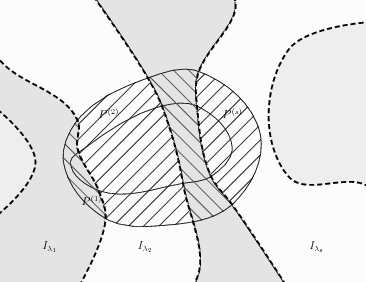
then all colors are converted into gray. The following two images are the original one
and the grayscaled one with the above command sequence.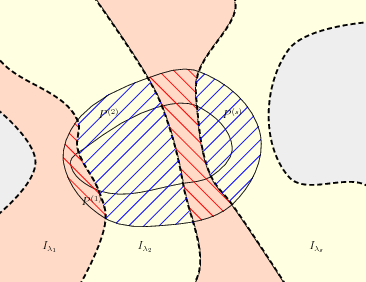
| Transparency colors | |
|---|---|
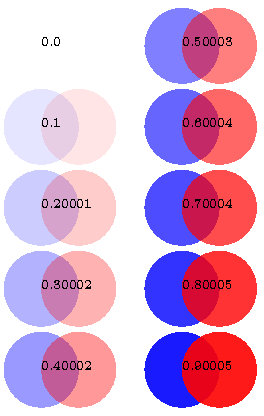 |
This solution for a PDF-output with running pdflatex needs a modified pdftex.def which should
go into TEXMF/tex/latex/pdftexdef/ and the newest xcolor package! Otherwise
it won't work.
|
|
|