List Environments

|
Main page |
|
Index |
| English FAQ |
| Documentation |
|
Software
|
|
CTAN Search CTAN: Main Server |
|
Statistics |
|
 |
|
 |
| More Books |
enumerate-, itemize-, description-environment (and other) are all part of the LaTeX list environment. For a general introduction go first here!
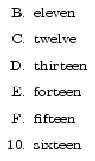
| Hexadecimal counting | No pagebreak in a list | |
|---|---|---|

|
to prevent a pagebreak in a list define in LaTeX preamble:
\newcommand\Nopagebreak{\@nobreaktrue\nopagebreak}
and write just before the list in tex (red):
\Nopagebreak |
Parentheses beside an Environment
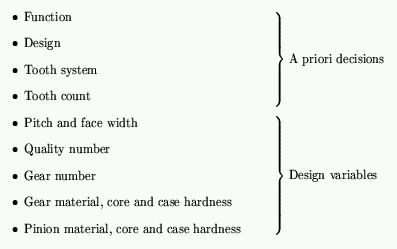
Enumerate inside another Environment
This example uses the ams-article document class.
Extended Label for Enumerate By default an enumerated list is like:
1. ...
2. ...
[...]
or like this. They are always numbered and therefore it's easy to change this style ! If you want some additional text, for example like
1. day: ...
2. day: ...
[...]
than write in preamble:
\newcommand\myLabelTag{ day: }
\renewcommand\enumerate{%
  \ifnum \@enumdepth >\thr@@\@toodeep\else
    \advance\@enumdepth\@ne
    \edef\@enumctr{enum\romannumeral\the\@enumdepth}%
      \expandafter
      \list
        \csname label\@enumctr\endcsname
        {\usecounter\@enumctr\def\makelabel##1{\hspace\labelsep ##1\myLabelTag}}%
  \fi}
Available latex packages for enumerationstyle are
Descriptionlabelstyle
By default the first item in the description-environment is written in bold normalfont. This can be changed. Write in latex preamble:
\renewcommand*\descriptionlabel[1]{\hspace\labelsep%
  \normalfont\sc #1}
for small capitals.
new indented lines in enumerated environments with the same number are possible with ctrl-enter. to avoid this indent and begin a new paragraph,
followed by a next enumerated line with a number which follows the other one, is possible with package mdwlist, which is part
of the mdtools:
mdwtools
in latex preamble:
\usepackage{mdwlist}
Bibliography Environment
This is one of the list-environments where you can't change the values from outside. You have to do a
\renewcommand. For example, to change the vertical space between two items write
in the preamble (this is for bookclass):
\renewenvironment{thebibliography}[1]
     {\chapter*{\bibname}%  for article class it is:   {\section*{\refname}%
      \@mkboth{\MakeUppercase\bibname}{\MakeUppercase\bibname}%
      \list{\@biblabel{\@arabic\c@enumiv}}%
           {\settowidth\labelwidth{\@biblabel{#1}}%
            \leftmargin\labelwidth
            \advance\leftmargin\labelsep
%%---------------------------------------------------------------------
            \setlength{\itemsep}{-1ex}%%%%% CHANGED %%%%%
%%---------------------------------------------------------------------
            \@openbib@code
            \usecounter{enumiv}%
            \let\p@enumiv\@empty
            \renewcommand\theenumiv{\@arabic\c@enumiv}}%
      \sloppy
      \clubpenalty4000
      \@clubpenalty \clubpenalty
      \widowpenalty4000%
      \sfcode`\.\@m}
     {\def\@noitemerr
       {\@latex@warning{Empty `thebibliography' environment}}%
      \endlist}
Centered List
This is very easy with the tabular environment when you have only one line per item:
