Longtable

|
Main page |
|
Index |
| English FAQ |
| Documentation |
|
Software
|
|
CTAN Search CTAN: Main Server |
|
Statistics |
|
 |
|
 |
| More Books |
Important: A lontable is designed for more than one page. It makes no sense to put a longtable inside a minipage or a floating environment!!
footnotes behind lontable
footnotes in a table are discribed in another page. To put the footnotes not on the bottom of the page but direct behnd the longtable, do the following steps:
in the table write \footnotemark in tex(red) which gives the write number in supscript. behind the table do a
\addtocounter{footnote}{-n}
where n is the number of your footnotes in the table.
than write behind your longtable the n "footnotes"
\myFootnote{...blah...}
\myFootnote{...blah...}
in the latex preamble define the footnote as
\newcommand\myFootnote[1]{%
  \textsuperscript{\scriptsize\refstepcounter{footnote}\thefootnote}%
  \footnotesize #1\normalsize%
}
if you want this with tables in a float (not for longtables) you
have to put the \myFootnotes... in the float, too.
LTXtable
This is the comination of a longtable and a tabularx tabular. The ltxtable.sty should be part of your local TeX system.
Otherwise get it from CTAN.
ltxtable reads the definition from an external file, which can be written on the fly the filecontents command.


caption and counting
Longtable uses the same counter than tabular. Therefore counting of tables is wrong
if you use a longtable without a
caption. In this case write in preamble:
\let\myEnd\endlongtable
\renewcommand\endlongtable{\myEnd\addtocounter{table}{-1}}
if you have a mix of longtable with and without captions,
than write after every longtable without a caption:
\addtocounter{table}{-1}
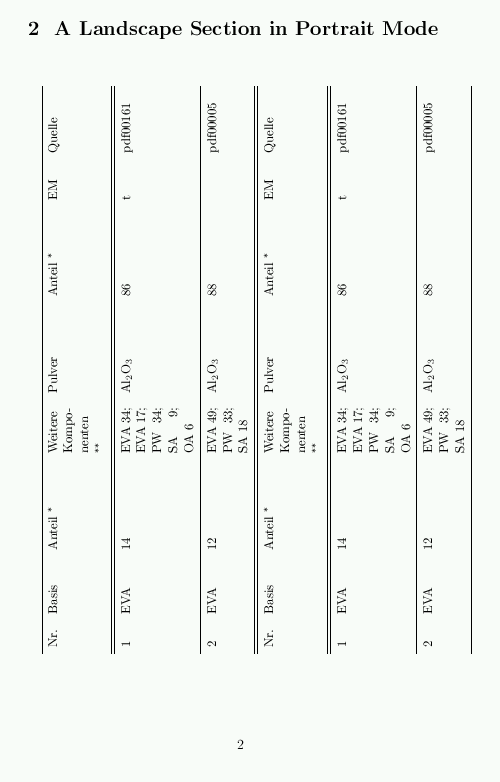
| Longtables over several pages in landscape are not a problem. They are used as usual inside the landscape environment. Such an environment still starts on a new page. This causes some problems when you want to start with a section header in portrait mode, as the figure shoes. In this case we need a new section command. Load the example LaTeX file and have a look into the preamble how this is done. In the example the lontable goes over 9 pages. This causes some problems when the caption is placed over the longtable, because LaTeX needs to calculate the table until the end, before the caption could be placed. |
|